A story map becomes difficult to read when one card says “Manage bookings,” another says “Cancel a class,” and a third says “Build the cancellation endpoint.” They describe different kinds of work. Put them on the same row and the team loses the distinction between the user’s journey and the work needed to support it.
User activities group related work around a meaningful purpose. User tasks are the concrete things a person does within that activity. User stories describe useful capabilities or variations that the team can discuss, test, and deliver. An engineering task describes how the team implements a capability.
This guide uses a fictional fitness class booking product to make those differences visible. The examples are teaching examples, not findings from a customer project.
Activities, tasks, steps, and stories: a working vocabulary
Story mapping terminology varies between teams. Some maps call their middle layer “steps”; others call it “tasks.” The StoriesOnBoard interface uses Goal → Step → Story. In this example, each broad activity occupies a Goal card; the member’s overall outcome stays in the map’s context. Agree on the meaning of your labels before debating where a card belongs. The story mapping basics guide explains the same product hierarchy.
| Level | Question it answers | Booking example |
|---|---|---|
| User goal | What result does this person want? | Attend a suitable class this week. |
| Activity | What broad work helps the person reach that goal? | Find a class; reserve a place; manage the visit. |
| Task or step | What does the person do at this point? | Choose a session; confirm a booking; cancel a reservation. |
| User story | What useful behavior should this version support? | Reserve an available place and see a confirmation. |
| Implementation task | What must the delivery team do to build it? | Add a capacity check to the booking endpoint. |
You do not need a separate row for every term in the table. A simple map might put activity groups across the top, concrete steps below them, and stories below each step. Keep the user’s overall goal beside the map as context. A smaller journey may need only steps and stories.
The distinction is about meaning and scale, not sentence length. A task label can also become the title of a story when the task is small enough to deliver as one useful behavior. That does not make the two concepts identical.
Build the structure around one coherent journey
Start with a specific person and situation: an existing member wants to book a class they can attend after work. Walk through what that person would do, using verbs rather than screen names.
- Find a class: browse the timetable, narrow the options, choose a session.
- Reserve a place: review availability, confirm the booking.
- Manage the visit: find the reservation, check attendance details, cancel if plans change.
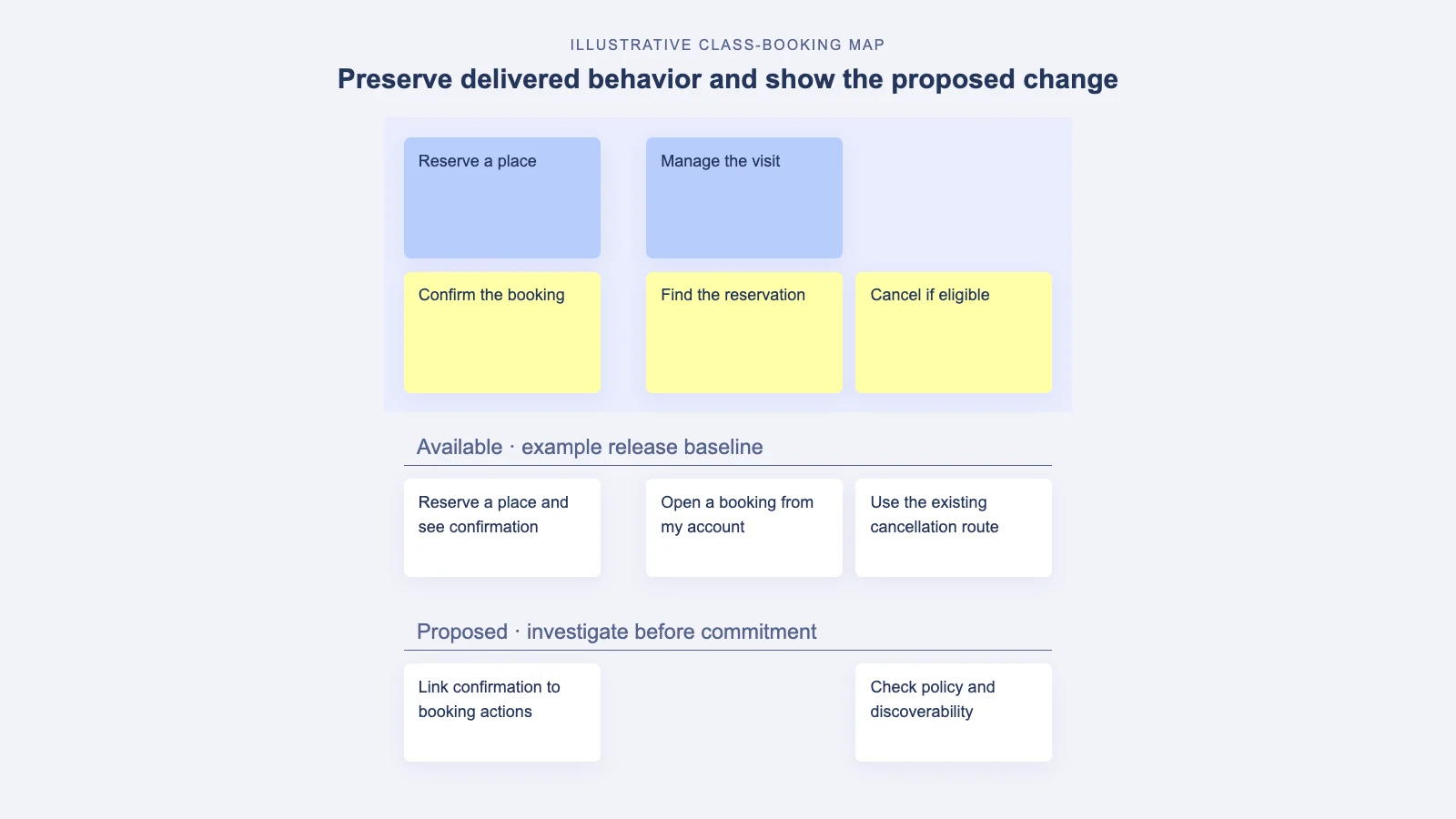
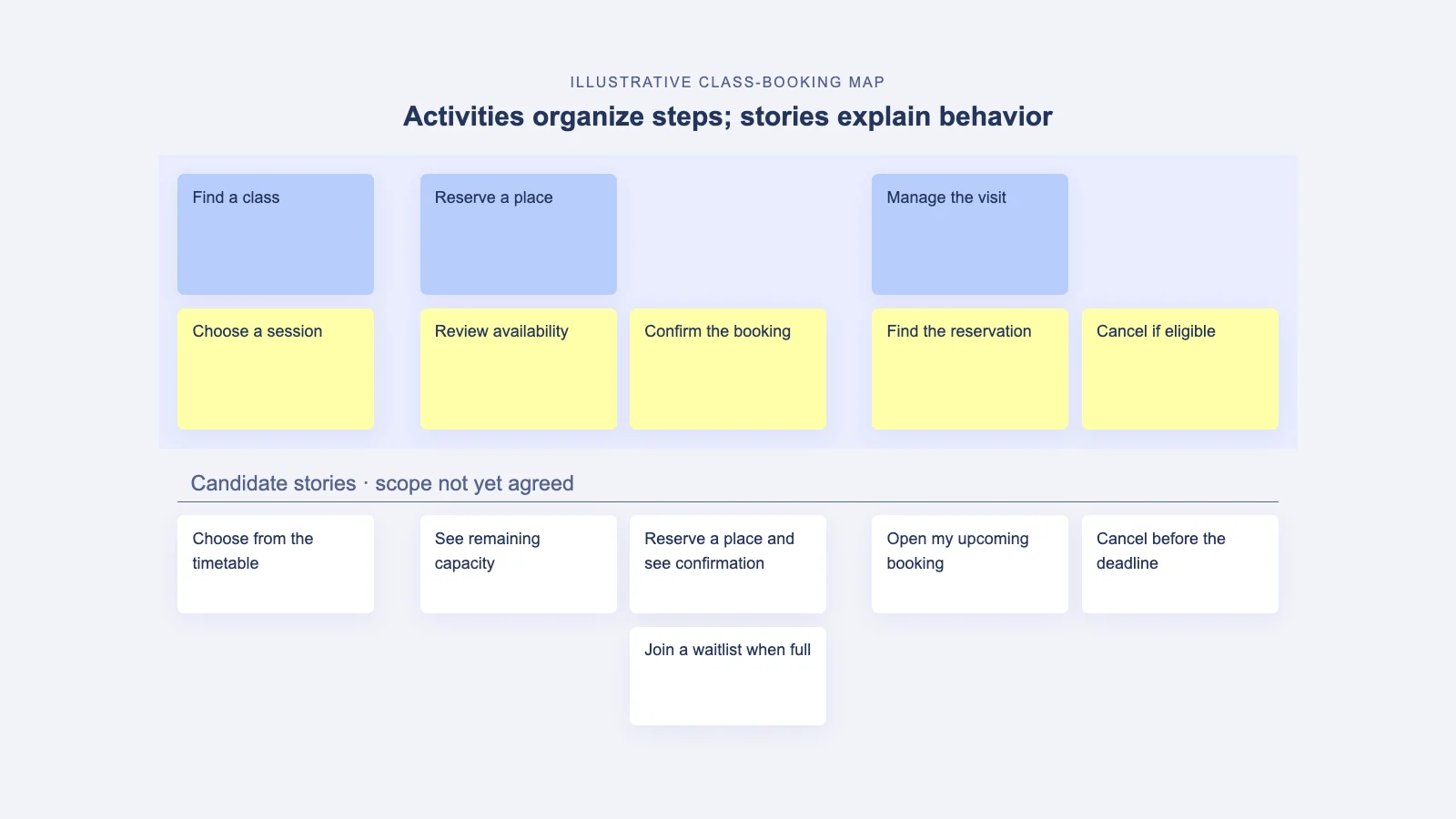
The focused map below shows five of those steps. Notice how “Reserve a place” owns both availability review and confirmation, while two alternative stories sit beneath confirmation.
The activities summarize sections of the journey. The steps make each section concrete. Stories describe the behavior the product should provide at a step, including alternatives and exceptions.
Under “Confirm the booking,” an initial story might be: “As an existing member, I want to reserve an available place so that I know I can attend.” A discussion of that story should clarify what happens when capacity changes while the member is booking. A later story could support joining a waitlist when the session is full.
Those stories belong under the same step because they support the same point in the journey. They can still belong to different release slices. Keep the horizontal arrangement useful for telling the user’s story; use vertical placement and release boundaries to discuss what comes first.
A story map represents a plausible narrative, not every possible branch of a process diagram. If members can return to an earlier step, record that behavior without turning the backbone into a maze of arrows.
Four questions for placing an ambiguous card
1. Is this a broad purpose or an observable action?
“Manage the visit” groups several related actions. “Cancel a reservation” is something a member can do at a particular moment. If the card naturally contains several different actions, it is probably an activity at the scale of this map.
2. Is the actor the user or the delivery team?
“Receive a booking confirmation” belongs in the user narrative. “Create a notification queue” belongs in delivery work linked to the relevant story. Technical work matters, but it should not replace the user step it enables.
3. Is this a journey step or one version of its behavior?
“Choose a session” remains a step whether the product offers a basic timetable or sophisticated filtering. “Filter sessions by instructor” is a capability that can sit beneath it. This separation lets the journey remain recognizable while release scope changes.
4. Do neighboring cards use a comparable level of detail?
“Find a class” and “Tap the green button” should not be peers. Tell the story aloud. If one label describes several minutes of purposeful work and the next describes a single interface gesture, zoom one of them in or out.
Repair a map with mixed levels
First, agree on the person, starting situation, and desired outcome. Then inspect a short stretch of the map together. Avoid reorganizing an entire product before agreeing on the convention.
| Current card | Problem | Useful treatment |
|---|---|---|
| Calendar | Names a screen without explaining the user’s work. | Use “Browse the timetable” as a step; keep calendar design in supporting detail. |
| Manage bookings | Too broad to sit beside individual actions. | Use it as an activity grouping view, change, and cancel actions. |
| Cancel before the deadline | Combines an action with a business rule. | Keep cancellation as the step; describe eligibility and exceptions in the story discussion and acceptance criteria. |
| Add cancellation API | Describes implementation rather than user behavior. | Link it to the cancellation story in the team’s delivery system. |
| Better engagement | Names a desired result without a user action. | Record it as an outcome to investigate; identify the behavior that might contribute to it. |
Preserve useful detail when moving cards. A technical dependency, policy question, or customer observation may be valuable even when it does not belong in the backbone. Attach or link it to the story that needs it.
Use stories to discuss a useful release
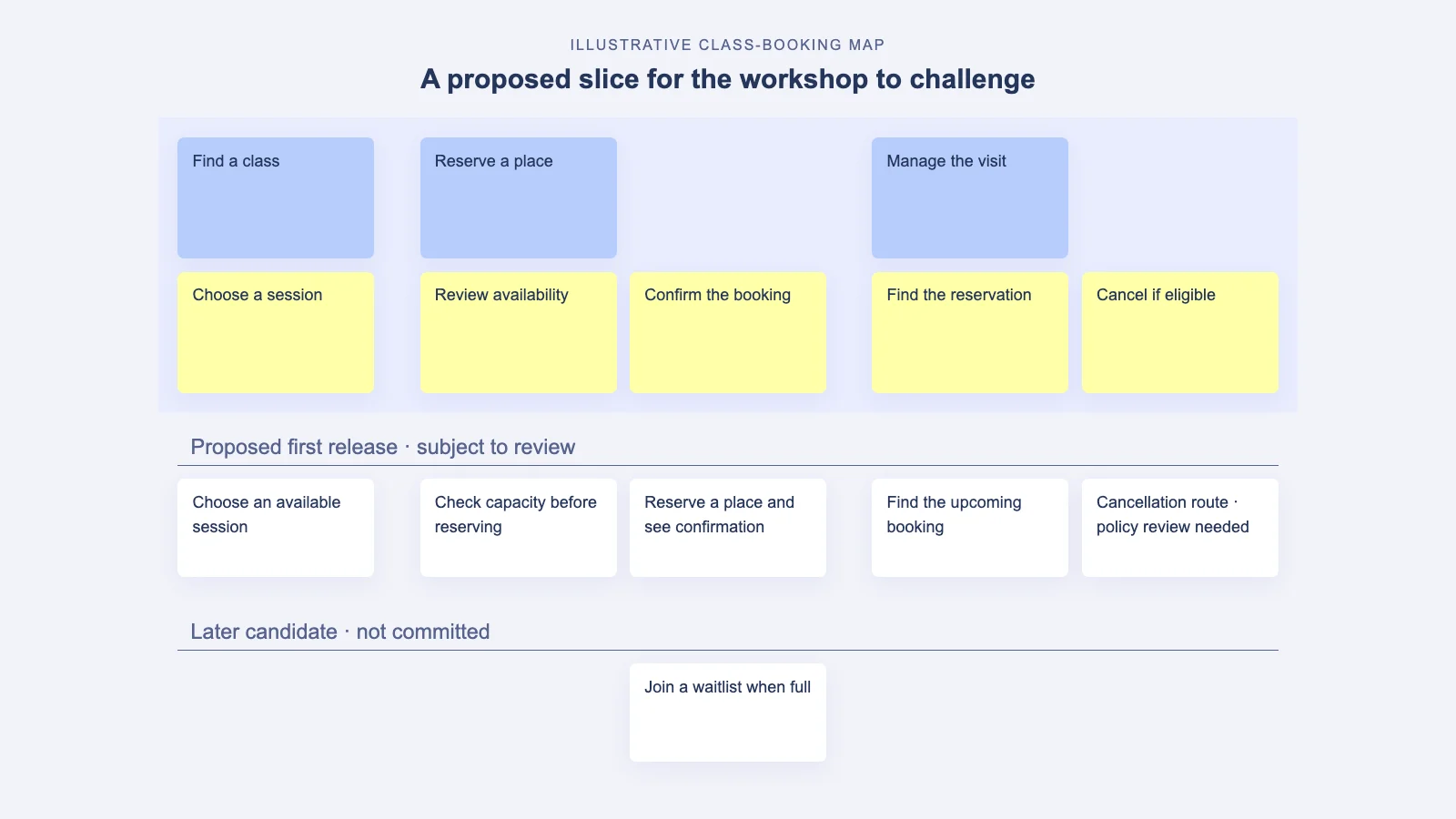
Once the structure is clear, draw a small release slice across the journey. For the booking example, the slice might let an existing member find a session, reserve an available place, see confirmation, and find the reservation again.
Whether cancellation belongs in that first slice depends on the actual service and its policies. Do not remove a necessary user obligation just to make the slice smaller. If a staff-assisted alternative is acceptable, write down who operates it and how members discover it.
For each story in the slice, ask what observable behavior would demonstrate that it works. “A confirmation appears only after the place is reserved” is more useful than “booking works.” Keep detailed implementation subtasks in the delivery workflow while retaining their connection to the map.
An epic is not a universal synonym for an activity. Teams use epics differently in delivery tools. If you map one activity to an epic, document that convention rather than assuming every map must follow it. Our guide to epics and user stories explains the delivery-side distinction.
A quick structure check before the workshop ends
- The map names a user and a goal specific enough to guide a decision.
- Activities group related work; steps describe recognizable actions.
- The team can narrate the main journey from left to right.
- Stories beneath a step describe useful behavior, alternatives, or exceptions.
- Implementation work is linked to the relevant behavior.
- The first release slice supports a coherent path through the journey.
- Assumptions and unresolved policy questions remain visible.
Use this check during the two-hour remote workshop agenda. After release, use the map maintenance checklist to keep the same structure useful as the product changes.
Common questions about activities and tasks
What is the difference between a task and a step?
In this guide, a step is the task’s place in the journey. The terms often overlap. Choose a convention that lets your team explain what the user does next and use it consistently.
Must every card use “As a…, I want…, so that…”?
No. Short verb phrases are easier to scan on a map. Use fuller story descriptions when the actor, value, or behavior needs clarification. A sentence template cannot resolve an unclear user need.
How many levels should a story map have?
Use enough structure to keep the journey readable and delivery choices discussable. Add an activity grouping when it helps people understand several steps; avoid an extra layer that merely repeats the labels below it.
For background on the method, see Jeff Patton’s introduction to user story mapping. To apply the structure with your team, Explore StoriesOnBoard and begin with one real user journey.