A reusable visual component library gives product workshops a shared language for screens, controls, decisions, actors, and states. Start with a small inventory, document what each element means, and test the same elements in two different workshops before expanding the library. The useful output is a flow that another person can interpret without asking its author to translate every shape.
For a Product Owner or Business Analyst, this solves a familiar problem: three people sketch the same onboarding journey, but one uses a rectangle for a screen, another for an action, and a third for a permission decision. The team appears to disagree about the product when it first needs to agree about the notation.
This guide uses an illustrative B2B workspace invitation. You will build a shared wireframe component library, apply it to invitation and recovery workshops, and connect the resulting decisions to a story map. The library lives in your design or whiteboarding tool; it is not a native design-system feature of StoriesOnBoard.
Separate the library, the flow, and the story map
A component is a reusable element with a stable meaning. A flow is a particular arrangement of those elements. A story map connects user goals, ordered steps, and the stories needed to support them. Keeping these artifacts separate prevents a successful workshop example from becoming an accidental product requirement.
For example, Decision / permission is reusable. “May this member invite a teammate?” is a decision in the invitation flow. “Request an invitation from an administrator” is possible product behavior that belongs in the story map once the team agrees it is needed.
A visual workshop library also differs from a production component library. A sketch of a button helps discuss an action; it does not specify a tested implementation. The GOV.UK Design System's component catalogue illustrates the additional value of usage guidance and coded examples. Borrow that habit of documenting meaning, while keeping your workshop kit small.
If you need reusable journeys rather than reusable visual notation, start with our library of common feature story maps. A login journey and a permission-decision symbol solve different reuse problems.
Start with five elements and explicit rules
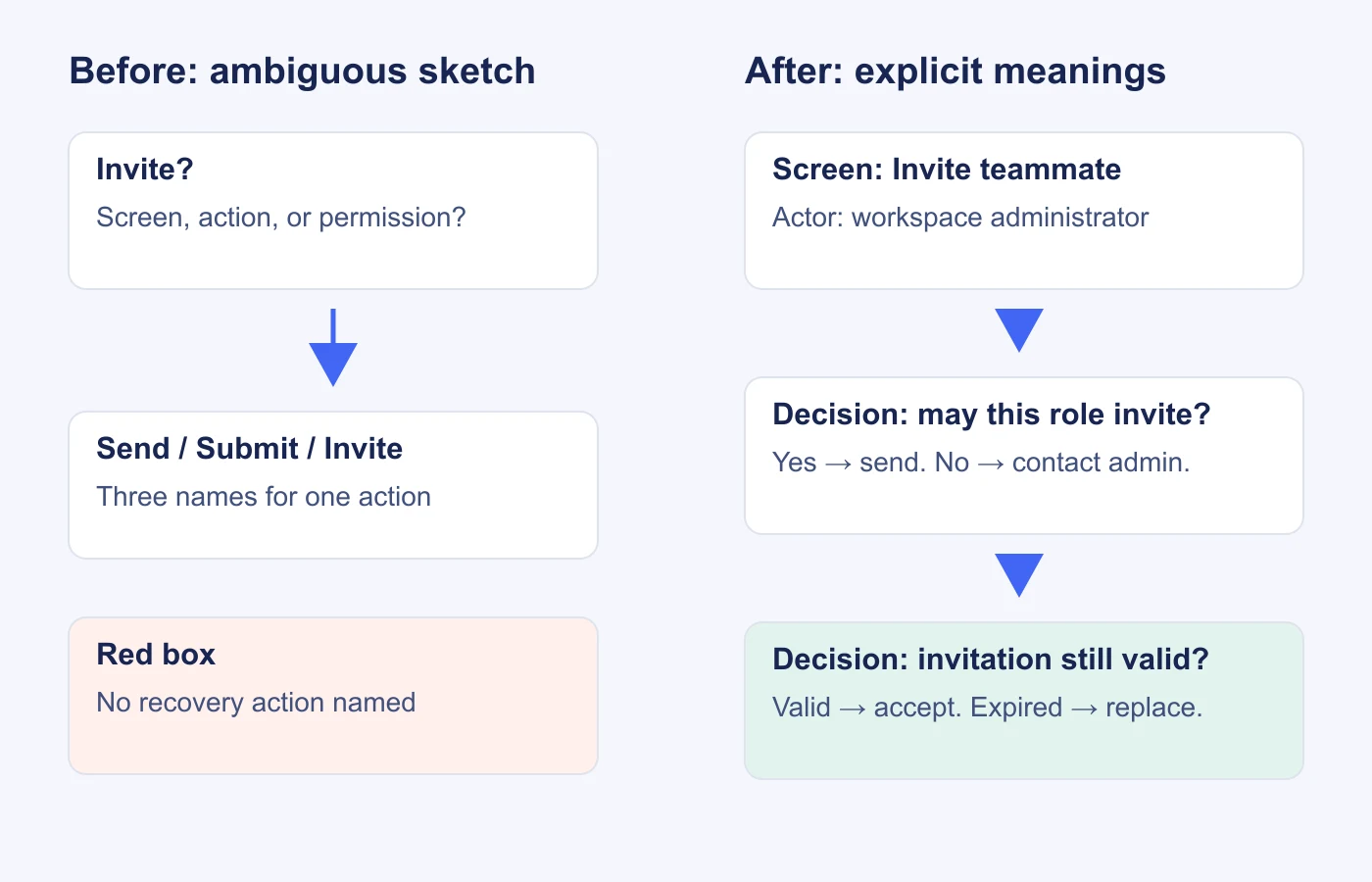
Collect a few recent workshop boards and look for recurring ambiguity. In this example, the invitation workshop uses “Send,” “Invite,” and “Submit” for the same action. An unlabeled diamond could mean a user choice or a system check. A green card might mean success, an approved decision, or simply one participant's favorite color.
Replace those ambiguities with a minimal inventory. Give every element a text label; color can reinforce meaning, but it should not carry the meaning on its own.
| Element | What it represents | Invitation example | Usage rule |
|---|---|---|---|
| Actor | A person or role taking an action | Workspace administrator | Name the role, not a specific employee. |
| Screen | A visible place where work happens | Invite teammate | Use a noun phrase; avoid mixing multiple destinations. |
| Control | An action available on a screen | Send invitation | Use a verb and identify the resulting state. |
| Decision | A question that selects a path | Invitation still valid? | Label every outgoing branch and identify who decides. |
| State | A condition or result | Invitation expired | Describe the condition and available recovery action. |
Assign connections one consistent meaning: a solid directed line means “continues to.” Put its condition on the line when a branch is involved. Keep annotations visually distinct from states, and write “Open question” on unresolved decisions. A connector should never secretly mean both navigation and data synchronization.
Write one complete component record
A folder of attractive shapes is difficult to reuse consistently. Each component needs a small record explaining its purpose and limits. Start with the element that caused the most confusion, then use the same record structure for the rest.
| Field | Filled example |
|---|---|
| ID and name | DEC-01 · Decision |
| Purpose | Show a condition whose result changes the next step. |
| Required content | Question, decision owner or rule, and labeled outcomes. |
| Variants | System rule; user choice. Both keep the question and outcomes visible. |
| Example | “Invitation still valid?” System rule. Yes → review invitation; no → request a replacement. |
| Forbidden use | A vague milestone such as “Onboarding”; a yes/no decision with an unlabeled third branch. |
| Owner | Workshop-library steward, with a named backup. |
| Version | Workshop kit 1.0; meaning changes require a revision note. |
The owner does not need to approve every instance of a component. Their job is to keep the definition useful, handle conflicting proposals, and prevent two visually identical elements from acquiring different meanings. Workshop participants remain responsible for the product decisions represented by those elements.
Apply the kit to an invitation workshop
Use this narrow question: can an administrator invite a teammate as a viewer, and can that teammate understand what to do next? Give the workshop a clear boundary: one workspace, one invitation, and two roles. Bulk invitations and billing effects remain open for another discussion.
- Identify the actors. The administrator sends the invitation. The invitee accepts it. A member without invitation permission needs a different route.
- Place the screens. Use “Invite teammate,” “Invitation details,” and “Workspace welcome.” Keep screen labels separate from actions.
- Add controls. “Send invitation” belongs on the first screen; “Accept invitation” belongs on the second. Both need a resulting state.
- Expose decisions. Ask whether the sender has permission and whether the invitation is valid. Label allowed, denied, valid, and expired outcomes.
- Complete recovery. The denied sender can ask an administrator. The expired invitee can request a replacement. Neither path should end at an unexplained red box.
Now ask a participant who did not draw the flow to narrate it. If they cannot tell whether an action is performed by the administrator or the invitee, the actor notation needs improvement. If they understand the notation but dispute who may invite, you have uncovered a product decision. Record it without redesigning the symbol.
This exercise fits inside a larger remote story mapping workshop. Introduce the kit before individual sketching, then use the read-back when participants compare their work.
Reuse the same elements in a recovery workshop
The second workshop tests whether the kit is reusable or merely a polished invitation diagram. Consider a person whose access to an existing workspace has been removed. They can sign in, but they cannot open that workspace.
Reuse Actor for “Former workspace member,” Screen for “Workspace access,” Decision for “Current membership exists?”, Control for “Contact workspace administrator,” and State for “Access unavailable.” The words change; the component meanings stay stable.
Do not copy the invitation flow wholesale. An expired invitation and revoked access have different causes and may require different recovery policies. Reuse the state component, then capture the new condition and next action. This distinction is where the library earns its place: the visual vocabulary travels between workshops while business rules remain explicit.
Keep a short observation log during both sessions. Record which components needed explanation, where participants invented a new shape, and whether someone used color without a label. One recurring confusion is a stronger reason to revise the kit than a request for ten additional decorative variants.
Connect the visual flow to delivery decisions
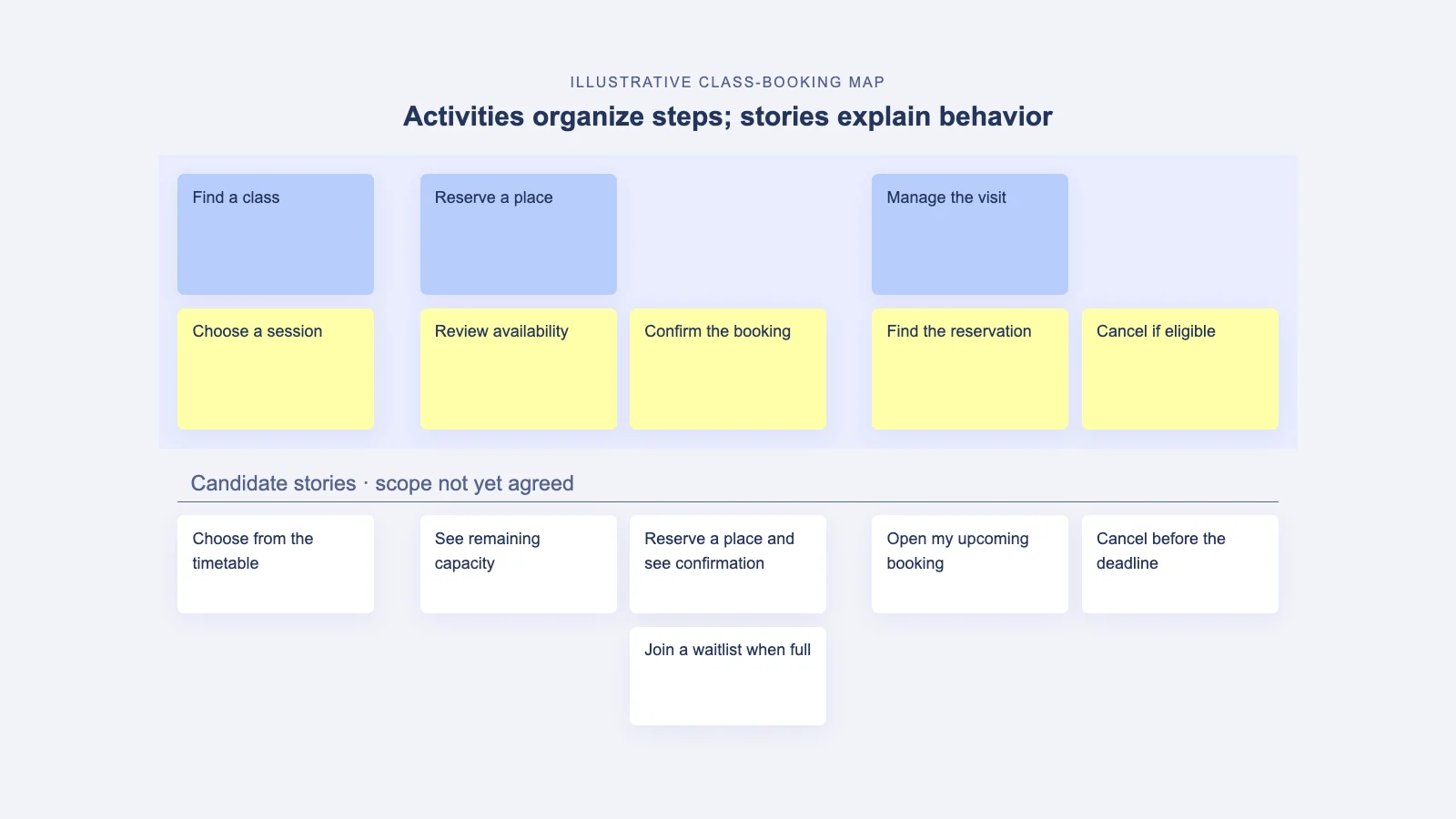
Once the team understands the flow, translate the agreed behavior into goals, steps, and stories. Avoid making one story for every visual component. A button is an interaction detail; the user needs to complete a task with appropriate feedback and recovery.
In this illustrative slice, “Send an invitation” includes the permitted action and confirmation. “Accept a valid invitation” includes the invitee's review and successful entry. “Recover from expiry” includes an explanation and replacement route. The map preserves the journey, while the linked workshop sketch explains the interaction details.
Store the library version and the relevant flow link in your workshop notes. In StoriesOnBoard, use the agreed goal → step → story hierarchy to retain the product context. The visual component library can stay in the external design tool where your team maintains it.
Version meaning, ownership, and exceptions
Publish the first kit with a short change log and a named steward. Keep a master collection that participants duplicate or reference, and include a visible version in the workshop starter. A saved instance should still make sense after the library changes.
For a proposed addition, ask for the problem, an example from a real workshop, and an explanation of why an existing component is insufficient. A new variant should remove ambiguity. “This looks nicer” can be a design improvement, but it is not a reason to create a competing meaning.
When a definition changes, mark the old element as deprecated and point to its replacement. Do not silently rewrite historical boards: people may need to understand what participants meant at the time. Apply the new version to the next workshop and update an old board only when it is actively reused.
Allow exceptions, but label them. A domain-specific approval gate may need its own symbol. Include its explanation beside the flow, then decide after the session whether the pattern deserves a permanent place in the library.
Check the library before the next workshop
- Every element has a name, purpose, example, and owner.
- Every decision has labeled outcomes and a clear decision maker or rule.
- Every important state offers a next action or explains why the journey ends.
- The same component means the same thing in both test workshops.
- Open product decisions remain visible instead of being disguised as finished UI.
- The agreed flow can be traced to user steps and a coherent release slice.
Start the next session with the five-element kit and one worked example. Improve it from observed confusion, then carry the resulting product decisions into your map. Use our story mapping workshop guide to plan the wider conversation around the user journey.