
Every year has its signature habits. This one belonged to teams that put the customer narrative back at the center and let user story mapping guide the way. From scrappy startups to scaled enterprises, we watched the same strong, repeatable patterns emerge — the kind you can spot across onboarding, checkout, and even dense admin workflows. They helped teams expose missing steps, slice releases with less second-guessing, and align product, design, and engineering without losing the thread. In short: fewer surprises, cleaner MVPs, and a more confident move from discovery to delivery.
This review is written from the vantage point of StoriesOnBoard — a web-based user story mapping and backlog management tool teams use to align on what to build and why before diving into tickets. When you organize work into goals or activities, user steps, and stories, the end-to-end narrative becomes visible. That visibility paid off again and again this year. It let teams run high-energy discovery workshops, turn ideas into clear acceptance criteria, and sync with delivery tools like GitHub while keeping the map as the source of truth.
Below, we’ll break down the patterns that worked, the anti-patterns that quietly slowed teams down, and a practical checklist you can use at your next mapping session. The aim: have your map behave like a living product strategy — not just another backlog view with sticky notes.
The Year’s Top user story mapping Patterns
Across hundreds of sessions, successful teams converged on a small set of repeatable moves. They’re simple, but they compound.
- Start with intentions, end with outcomes. Teams began by naming the customer’s high-level goal (the top row) and finished by defining how to know it worked (signals and success metrics). That top-to-bottom line of sight prevented rabbit holes and kept discussions outcome-oriented.
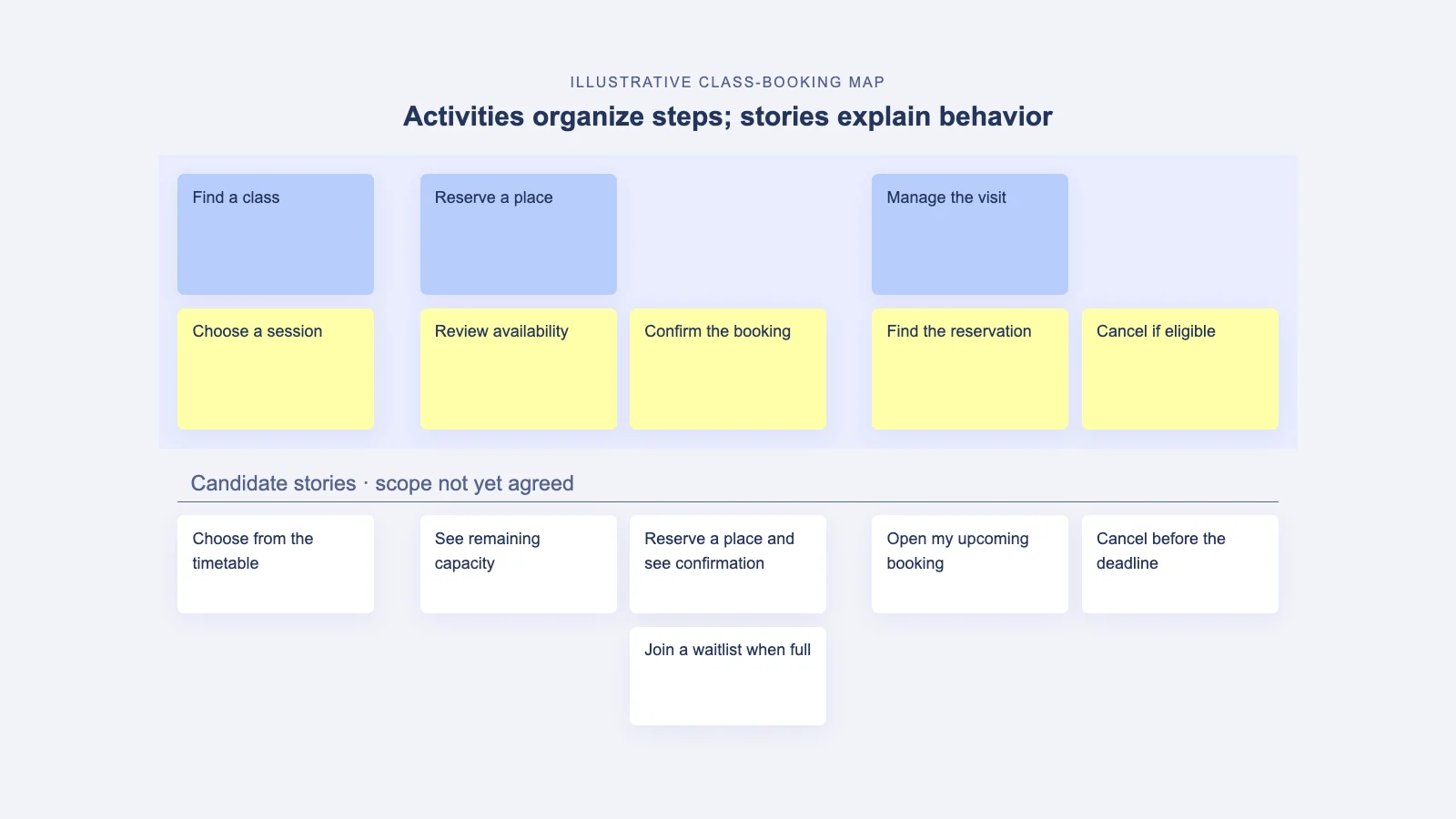
- Strict goal → step → story hierarchy. The discipline of activities (or goals) at the top, user steps in the middle, and granular stories at the bottom made it easy to scan the narrative and spot gaps. It also helped newcomers find their way without a facilitator.
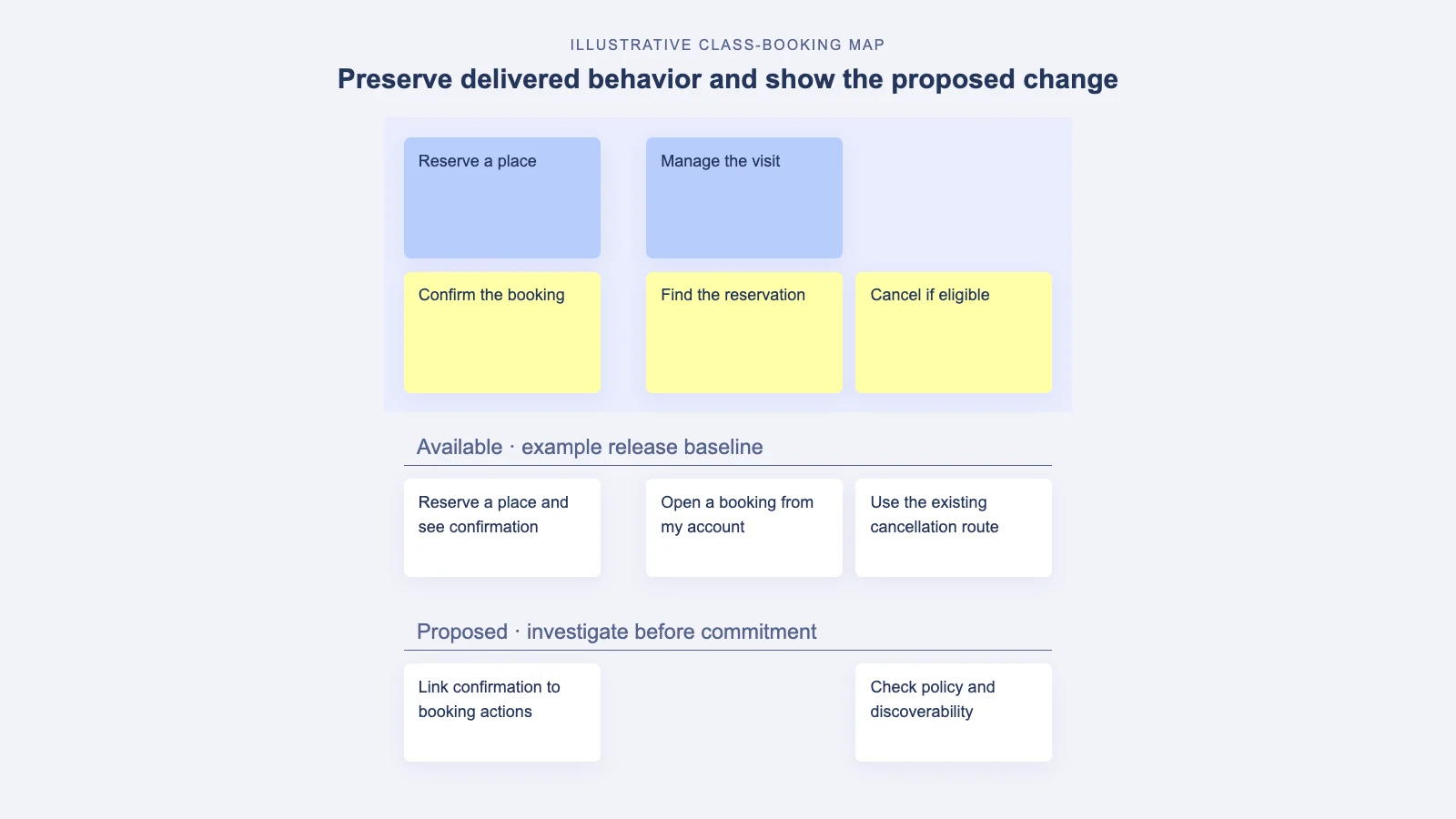
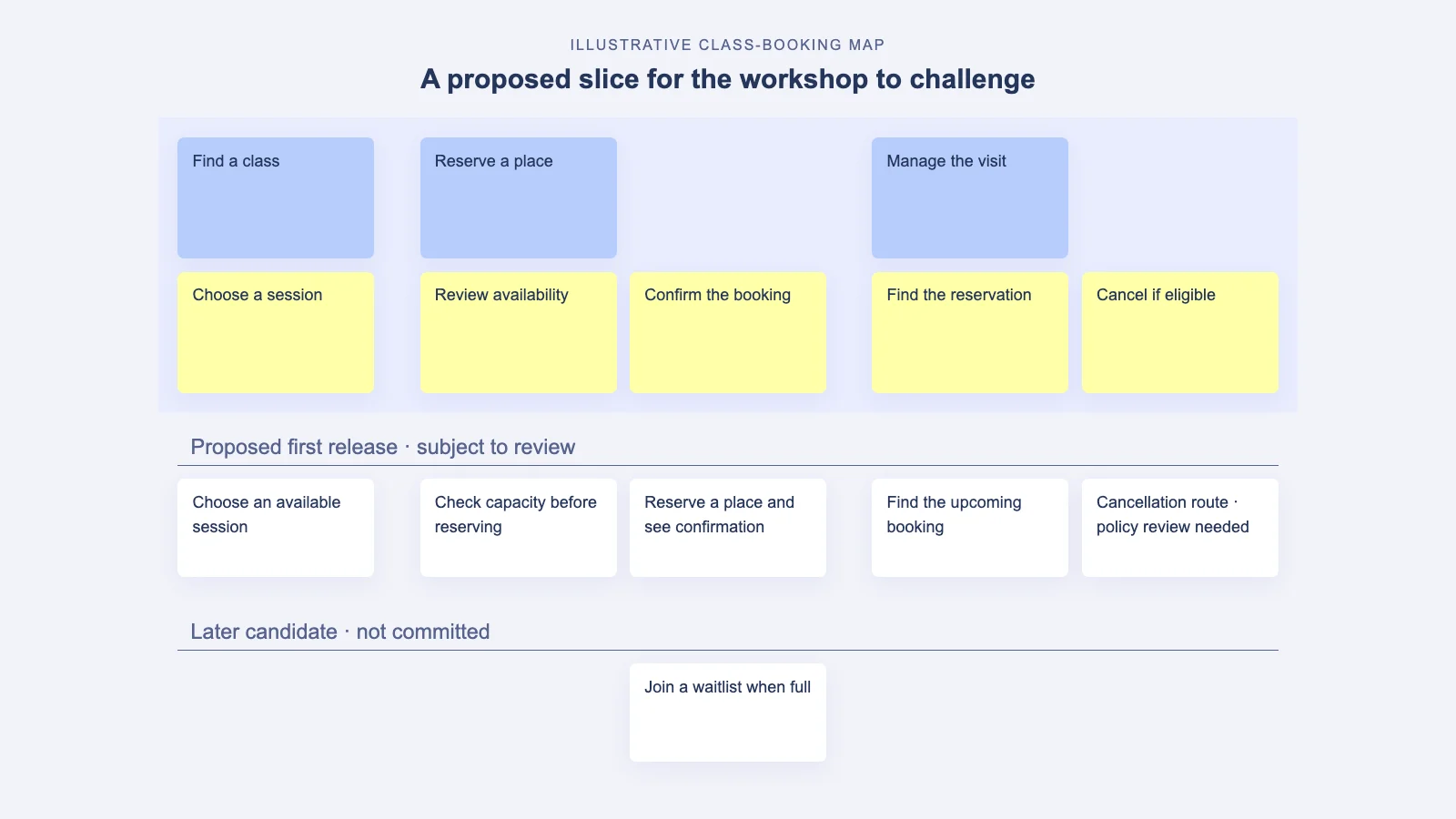
- Vertical slicing with a walking skeleton. Instead of finishing one column in full fidelity, teams defined a thin, end-to-end slice that exercised the entire flow. That slice became the MVP candidates list, while deeper capabilities were queued for later releases.
- Release lanes that mirror value milestones. Rather than date-based batches, release rows tied to tangible value increments (for example, self-serve onboarding complete, payment accepted, admin configurable). Value anchored the plan.
- Persona or scenario swimlanes. When journeys diverged for different users (new vs. existing customers, buyers vs. admins), teams added lanes or tags to highlight the divergence without duplicating the whole map.
- Light placeholders first, acceptance criteria later. Notes, assumptions, and risks lived on the map as lightweight annotations. Acceptance criteria were drafted later — often with help from built-in AI — once the MVP slice stabilized.
- Gaps flagged visually. Missing steps, external dependencies, or regulations were called out early with markers or color codes, so nobody mistook them for lower priority. They were simply unknowns to resolve.
- Delivery sync without losing the narrative. Stories were pushed or linked to GitHub issues from within StoriesOnBoard, filtered by labels for squads or components. But the map remained the planning source of truth, not the issue tracker.
Why These Patterns Worked Across Products
The power of user story mapping is its human shape: it mirrors how a person approaches a problem and moves toward an outcome. When teams got that shape right, the rest followed. Starting with the customer’s intention made it harder to bury value in technical detail. The hierarchy kept scope conversations honest — you can’t claim you’re done with an activity if two steps are still blank. And by slicing vertically, teams avoided creating mini-waterfalls inside the map. Instead of polishing a perfect onboarding or checkout in isolation, they made the smallest viable experience that proved the path from intent to outcome.
In practice, these patterns reduced switching costs. Product managers used StoriesOnBoard’s modern visual text editor to sketch steps in seconds, designers dropped in lightweight notes or links to prototypes, and engineers highlighted integration touchpoints. Live presence indicators kept the conversation flowing, even when teams were distributed. With the built-in AI assisting on user story drafts or acceptance criteria, sessions gained momentum without getting bogged down in syntax debates. That speed made it easier to keep the map current and trustable.
Crucially, teams preserved the difference between planning and execution. Planning lived visually: goals, steps, slices. Execution happened in the delivery tool. StoriesOnBoard’s integration with GitHub bridged the two worlds — issues were imported or synced, labels filtered by squad, and status reflected back — while the map held the bigger picture. This avoided a common failure mode where the story map quietly mutates into just another backlog and loses its narrative power.
Mini Examples: Patterns Applied to Common Journeys
To make the patterns concrete, here are quick snapshots of how teams put them to work on familiar flows.
-
Onboarding flow: from trial curiosity to first value
A product-led team wanted to reduce drop-off during the first session. They structured the map like this:
- Activity: Sign up and get oriented
- Steps: Create account → Confirm email → Guided tour → First task
- Stories: Email magic link, sample data seeded, progress indicator, contextual tips
MVP slice covered account creation, sample data, and one clickable walkthrough that got the user to a tangible outcome. Later releases added OAuth options, deeper personalization, and admin policy checks. The team used StoriesOnBoard annotations to capture experiment ideas and risks, then pushed the MVP stories to GitHub with labels for the onboarding squad.
-
Checkout: removing friction without hurting trust
An e-commerce platform mapped the buyer’s path with clarity:
- Activity: Decide to buy
- Steps: Review cart → Choose shipping → Enter payment → Confirm
- Stories: Apple Pay, address auto-complete, tax calculation, order email
The walking skeleton validated end-to-end payment with a single shipping method and credit card. They purposely delayed upsells and coupon complexity. Teams used persona swimlanes for guest vs. logged-in buyers, and a separate lane for regulatory requirements in specific regions. Acceptance criteria for payment edge cases were drafted with the AI assistant once the skeleton proved stable.
-
Admin workflow: power with guardrails
A B2B team reworked an admin console that had accreted options over years. The map surfaced the intended narrative:
- Activity: Set up workspace and policies
- Steps: Create workspace → Invite users → Assign roles → Configure integrations → Audit logs
- Stories: Role templates, bulk invite CSV, SSO integration, exportable logs
The first release gave admins just enough to onboard new teams safely: role templates, basic SSO, a minimal audit trail. Later releases layered in automation rules, fine-grained permissions, and reporting. The map linked to GitHub issues for the platform team and filtered via labels to avoid cross-team collisions — all while preserving a single, shared view of intent.
How user story mapping Leveled Up MVP and Release Slicing
When slicing releases, the argument that usually derails momentum is the fear of an incomplete experience. The teams who leaned on user story mapping avoided that by insisting on narrative completeness before depth. A thin end-to-end experience beat a thick partial one every time. StoriesOnBoard’s release rows helped visualize that principle: Release 1 touched every critical step in the journey, Release 2 deepened the same journey with enhancements and guardrails, and Release 3 unlocked optional power for advanced users.
This mattered beyond planning aesthetics. First, research and analytics learned faster. An MVP tied to the full journey produced interpretable signals — not just “users clicked a button,” but “users reached the intended outcome.” Second, engineering reduced rework because the earliest design and tech decisions were forced to consider the entire path. Third, stakeholders stopped arguing about scope in the abstract. They could see the slices and negotiate trade-offs visually. That’s the invisible magic of a good map: it makes hard conversations easier.
On the execution side, teams synchronized the slices into GitHub, grouped by label for squads or components. StoriesOnBoard’s bi-directional sync made it safe to refine in either place while preserving the planning intent on the map. When acceptance criteria matured, teams captured them inline with the modern text editor or drafted initial bullets with AI assistance and refined them collaboratively. The result was a healthy rhythm: discover, map, slice, sync, learn, repeat.
Signals You’re Ready to Slice Releases with Confidence
If you’re wondering whether your map is mature enough to commit to an MVP and subsequent releases, look for these signals:
- Every goal row has at least one end-to-end thin slice. There are no orphan steps blocking the path to value.
- Risks and unknowns are marked clearly. You know what you don’t know, and the team has a plan to learn.
- Acceptance criteria exist for the MVP slice. They can be light, but they should capture the happy path and the most likely edge cases.
- Persona or scenario divergence is explicit. Swimlanes, tags, or notes make it clear which slice applies to whom.
- Release rows map to value milestones, not dates. Dates come later; the map focuses on what outcomes each release unlocks.
- Delivery is linked, not duplicated. Stories are synced to GitHub with labels, but the map remains the planning source of truth.
- Stakeholders recognize themselves in the narrative. Product, design, engineering, and go-to-market can all trace the story and see their role.
The Map as a Shared Alignment Tool
We saw a powerful cultural shift this year: teams treated the map like a shared whiteboard for strategy, not a document owned by a single role. Product managers facilitated, designers shaped steps with real user insights, and engineers challenged feasibility early. Because StoriesOnBoard is web-based with live presence indicators, the discussion felt close to in-room even for distributed teams. People could add comments, drop in quick notes, or move cards without breaking stride.
That behavior created a durable shared understanding. When someone new joined mid-quarter, they could scan the top rows to grasp intent, follow the steps to see the current path, and drop down into stories to understand what’s in motion. The modern visual text editor made the narrative readable and scannable, not a wall of tiny stickies. And when it was time to move from mapping to backlog refinement, teams prioritized directly on the map and then synced the chosen stories to GitHub, filtered by labels to route work to the right squad. The map stayed the source of truth — a planning artifact that remained meaningful after kickoff.
Another enabler was responsible use of AI. Teams used StoriesOnBoard’s built-in AI to draft user stories and acceptance criteria quickly during workshops, then refined the wording together. That balance kept momentum high without sacrificing quality. The AI provided a head start; the team provided judgment and context.
Avoid These user story mapping Anti‑Patterns
For all the good patterns, there were a few traps we saw again and again. They’re fixable — and preventable — once you know them.
- Turning the map into a backlog. When every card becomes a ticket and release rows become sprints, the narrative collapses. Remedy: keep planning and execution distinct. Use StoriesOnBoard for the map and sync selected stories to GitHub with clear labels. Always return to the map for scope discussions.
- Too much detail too early. Front-loading acceptance criteria, edge cases, and UI minutiae stalls exploration. Remedy: sketch the journey first with lightweight notes. Add details to the MVP slice once the walking skeleton is agreed. Use AI to draft criteria only after the slice stabilizes.
- Skipping the user narrative. Jumping straight to features without goals and steps produces gaps you only discover during QA. Remedy: enforce the goal → step → story hierarchy. Don’t write stories until the steps are visible and agreed.
- Persona-blind mapping. Collapsing multiple user types into one row hides divergent needs. Remedy: add swimlanes, tags, or parallel steps for major personas or scenarios. Make trade-offs explicit.
- Frozen maps. Treating the map as a one-time workshop deliverable causes drift. Remedy: revisit the map during weekly planning. Update releases as you learn. Let the map evolve with your understanding.
- Template worship. Forcing your journey into a template that doesn’t fit leads to mismatches. Remedy: start simple. Add structure only as it earns its keep. StoriesOnBoard’s flexible editing makes it easy to reshape as you go.
- Unowned risks. Calling out unknowns without owners leaves landmines. Remedy: add an owner to each risk and a plan to learn, then reflect outcomes back into the map.
How We Course‑Corrected With StoriesOnBoard
When teams fell into anti-patterns, the way out was almost always to return to the narrative. We’d pull everyone back to the top row and ask the grounding questions: What is the user trying to accomplish? How do we know they achieved it? Which steps must exist to make that true? That reset reframed scope debates from “how many points” to “what story are we telling.”
From there, facilitation and tooling did the rest. A product manager used StoriesOnBoard to duplicate a bloated map into a sandbox, stripped detail, and rebuilt the journey with the team in 45 minutes. The designer annotated the steps with two user insights that eliminated an entire column of work. Engineering flagged a dependency; we marked it as a risk and lined up a spike. Using the AI assistant, we drafted acceptance criteria for the chosen MVP slice and refined them together in the modern text editor. Finally, we synced only the agreed stories to GitHub, filtered by labels for the two squads involved, and left the rest on the map for future releases.
The effect was immediate. The team shipped a thin end-to-end experience two weeks earlier than planned, learned that the biggest drop-off was at email confirmation, and iterated on that step next. Because the map stayed current, the conversation about what to do next was fast and grounded. We saw this movie many times this year, and it never got old.
Summary and Checklist for Your Next Session
This year proved that simple, disciplined user story mapping beats heavyweight process every time. Start with the customer’s intention, walk the steps honestly, and slice vertically so you learn from a complete story. Keep the map alive as the planning source of truth, and let delivery tools do what they do best. When in doubt, zoom out to the narrative and ask what outcome you’re trying to create.
- Prime the room. State the user goal and the outcome signal before touching cards. Align on whose story you’re telling.
- Enforce hierarchy. Create activities/goals, then user steps, then stories. Don’t skip straight to stories.
- Draw the walking skeleton. Choose a thin, end-to-end slice that touches every essential step. That’s your MVP candidate.
- Defer heavy detail. Capture assumptions and risks as notes. Draft acceptance criteria for the MVP slice once it’s agreed — use AI to jump-start, then refine together.
- Make divergence explicit. Add swimlanes or tags for personas or scenarios. Don’t hide complexity in generic steps.
- Use releases as value milestones. Name release rows by the value they unlock, not calendar dates.
- Sync without losing the plot. Push selected stories to GitHub from StoriesOnBoard, filter by labels per squad, and keep the map as the source of truth.
- Review often. Revisit the map weekly. Update slices as you learn. Remove stuff that no longer matters.
- Watch for anti-patterns. If the map starts to look like a backlog, or you’re adding too much detail too early, pause and return to the narrative.
- Close with a commitment. End each session with an agreed MVP slice, owners for risks, and the next learning milestone.
StoriesOnBoard exists to make this workflow natural: visual, collaborative discovery leading to clear, realistic execution. With live presence indicators, a flexible editor, built-in AI assistance, and integrations that bridge planning with engineering, it helps teams move from strategy to delivery with fewer detours — and products that feel coherent because the story never got lost.